Monitor. Relax. Earn. UpaMate Property Management for Filipino Landlords
A short silent animation showing the UpaMate app: a landlord dashboard with
paid and overdue tenants, a maintenance ticket with photos, a utility bill
split automatically between units, and an AI assistant answering questions
in Tagalog and English.
You don't need another app. You need peace of mind. Here are the six heaviest landlord problems, and how UpaMate ends them.
LandlordTenant
1Your records are a mess
Know the state of every property at a glance.
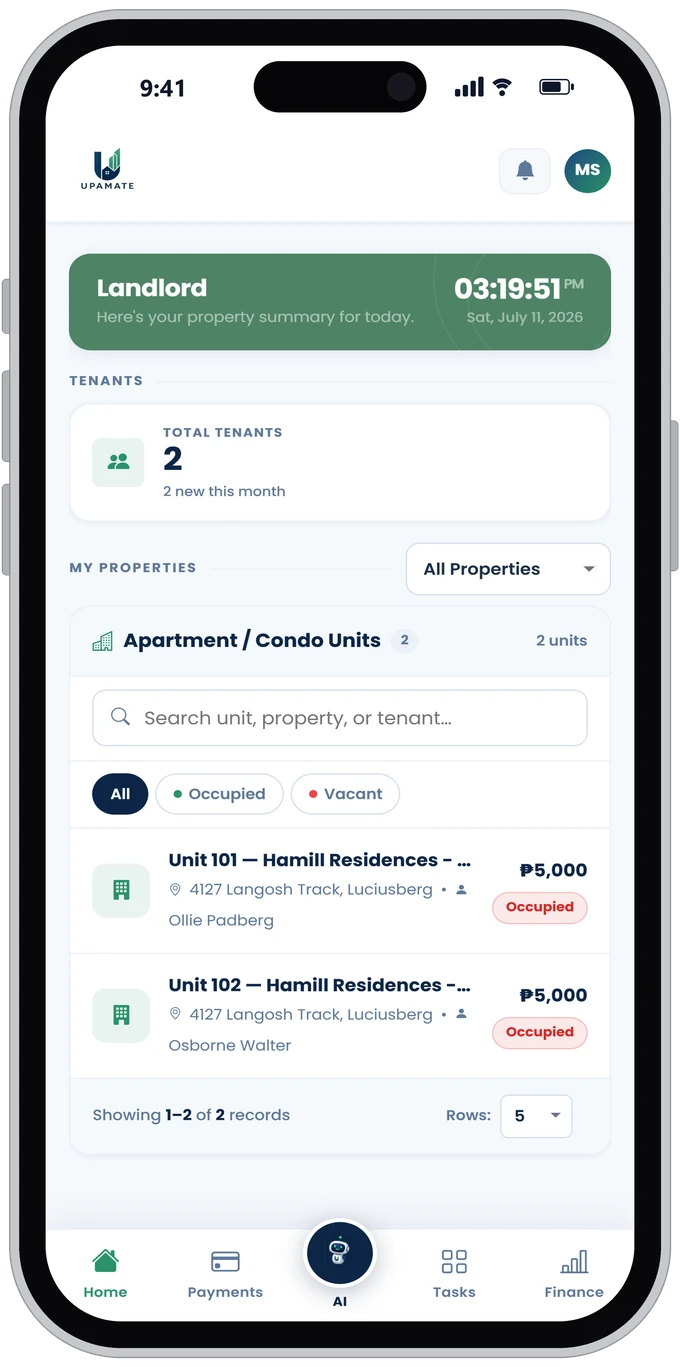
How many units are vacant? Who just moved in? When everything lives in notebooks and chats, something always slips. Open UpaMate and you get the full picture of every property instantly.
Vacant vs. occupied, always up to date
A complete list of tenants and units
Find any tenant with a single search
2Tired of chasing payments
Stop chasing rent over text.
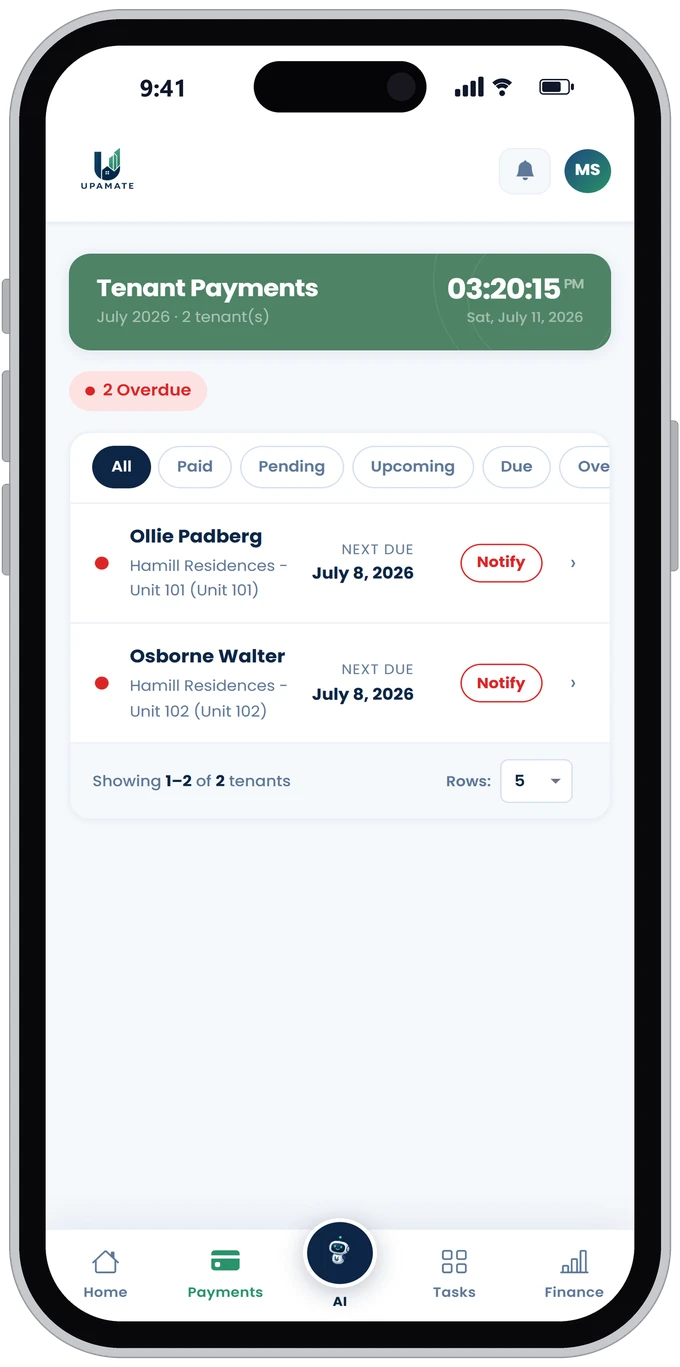
Sending "Have you paid yet?" texts every month is exhausting. With UpaMate, tenants upload their own receipts, GCash or bank transfer, and you simply confirm. It's always clear who has paid and who is overdue.
See who's overdue at a glance
A receipt attached to every payment
No payment record ever gets lost
3Complaints get buried in chat
No more repairs slipping through the cracks.
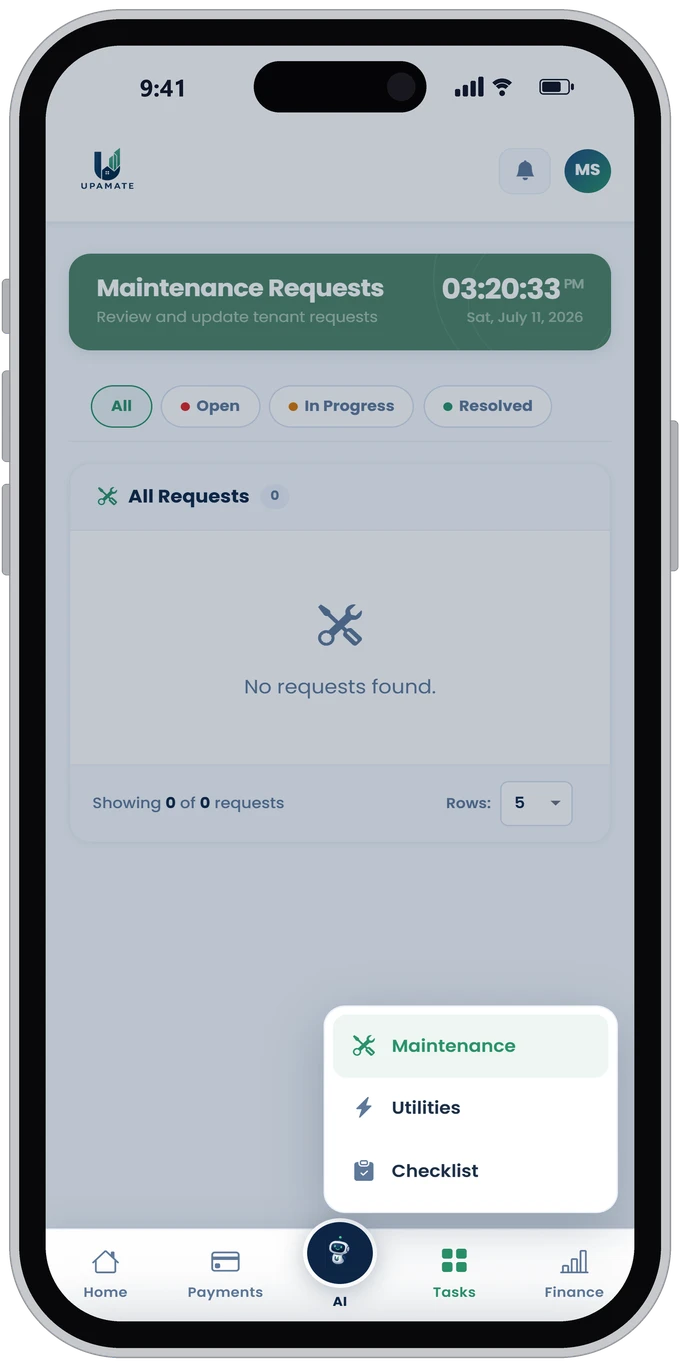
That leaking faucet someone texted you about last week is now buried under 200 messages. Here, every complaint has photos and a clear status: Open, In Progress, Resolved.
Up to 3 photos per ticket
Tracked from open to resolved
Full repair history per unit
4Disputes every move-out
End the "it was already broken" arguments.
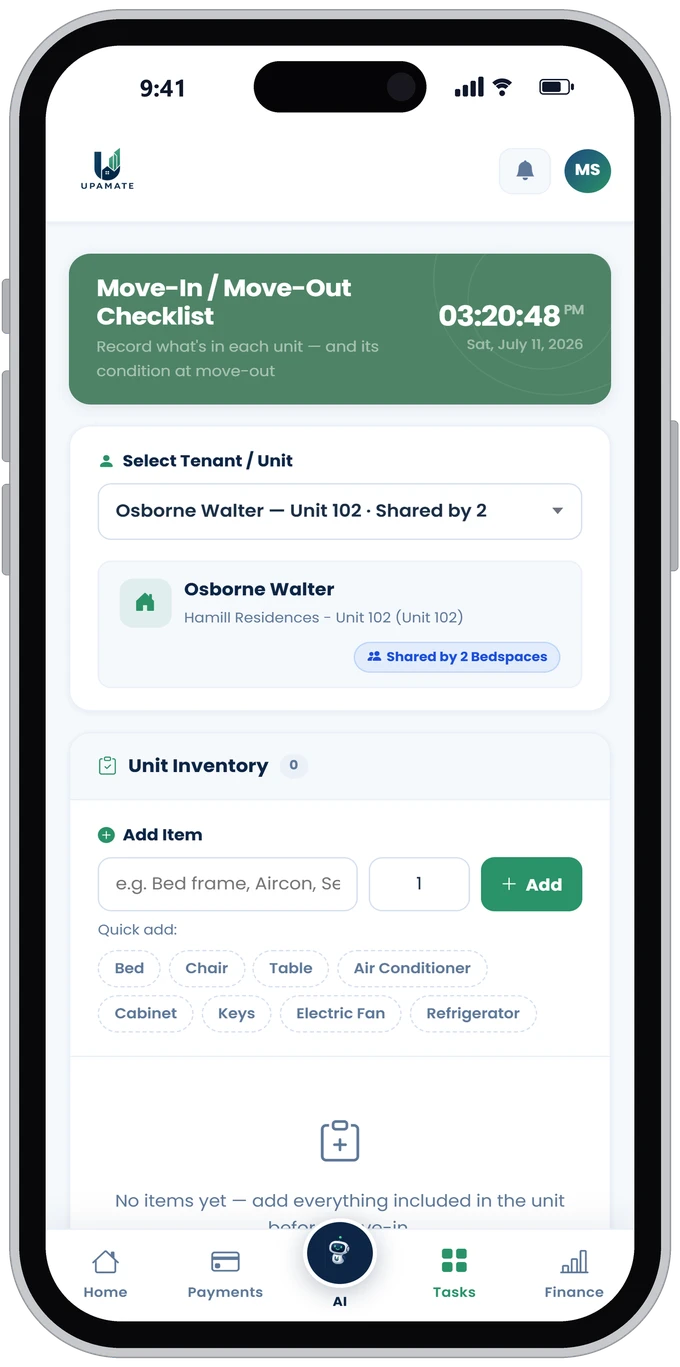
The most expensive fight is the deposit fight. Record everything in the unit before a tenant moves in (bed, aircon, keys) and update its condition on move-out. You'll have evidence, not just memory.
Per-unit inventory, quick to add
Condition tags: Good, Damaged, Missing
Evidence both sides can see
5Splitting bills is a headache
Stop computing bill splits on a calculator.
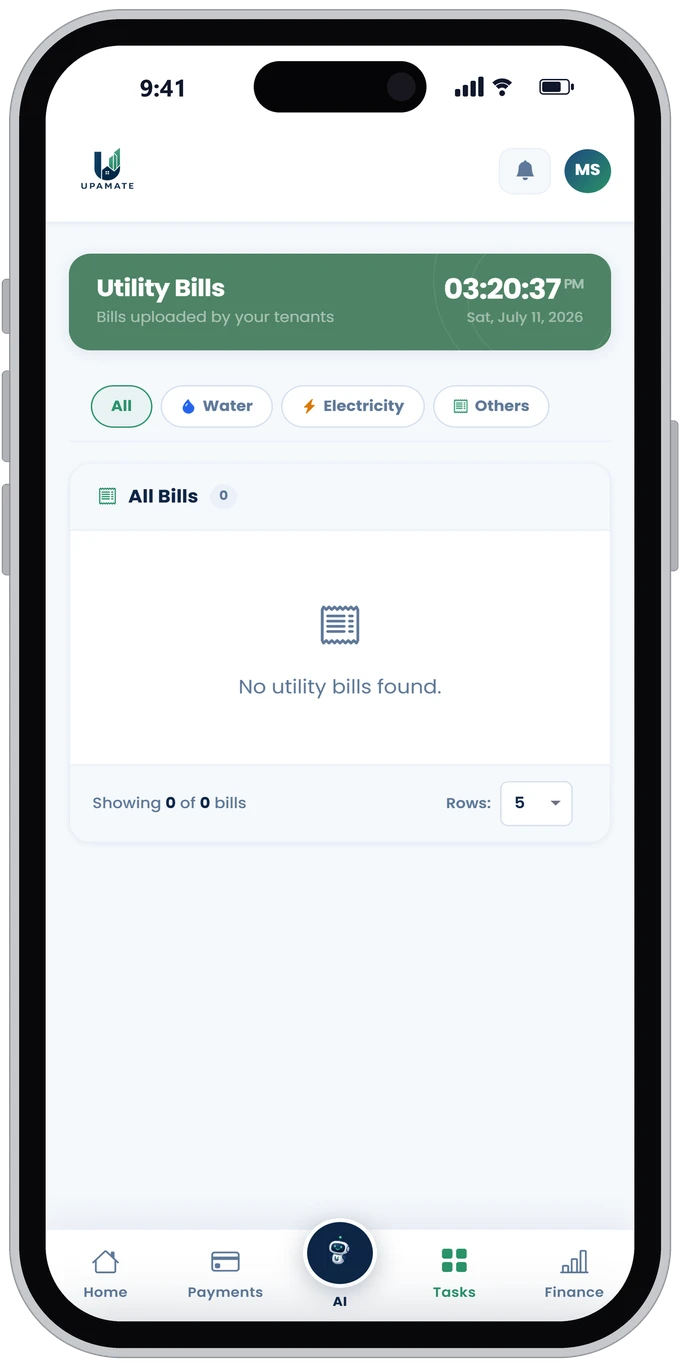
The Meralco bill arrives and out comes the calculator to split it per bedspace. Here, the split is automatic and a photo of every bill is filed each month.
Automatic splits for shared units
Water, electricity, and more, all in one place
Bill photos as proof
6No time to crunch numbers
Just ask. Instant answers in Tagalog or English.
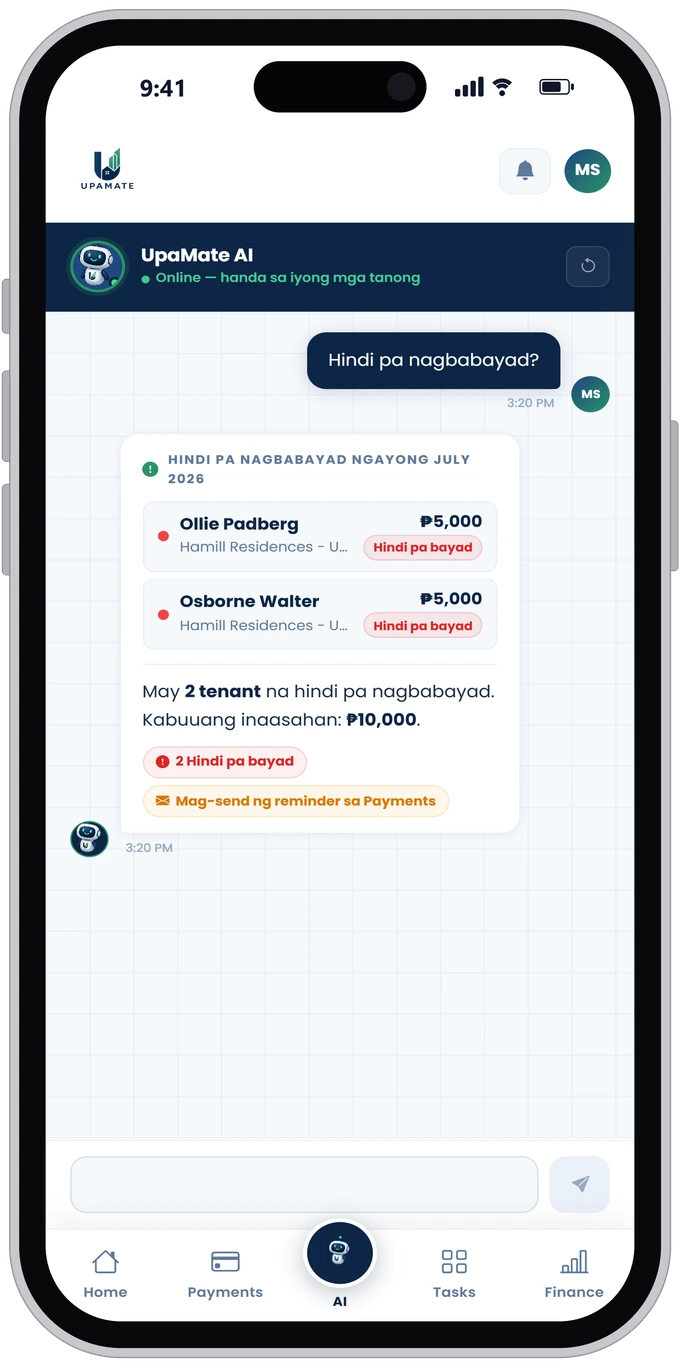
"Who hasn't paid yet?" No scrolling, no computing. Just ask UpaMate and it answers instantly, with names, amounts, and a one-tap reminder.
Answers in Tagalog and English
Who's paid, who's overdue, how much you earned
Send reminders straight from the chat
Tap the card to navigate
Simple pricing, no surprises.
Pick the plan that fits your rental portfolio. Every plan starts with a 14-day free trial.
MonthlyYearly
Essential
₱199/month
or ₱2,388 billed yearly
Up to 3 rental units
All Core Features
AI Chatbot (21 chats/month)
Finance Module
Utilities Tracking & Bill Splitting
Move-In / Move-Out Checklists
Expense Tracker
Best for1-3 unit landlords, first-time users
Most Popular
Growth
₱299/month
or ₱3,588 billed yearly
Up to 10 rental units
Everything in Essential
Unlimited AI Chatbot
Finance Module with Advanced Export
Utilities Tracking & Bill Splitting
Move-In / Move-Out Checklists
Expense Tracker
Best for4-10 unit landlords
Business
₱799/month
or ₱9,588 billed yearly
Up to 20 rental units
Everything in Growth
Advanced Reports
Property Advertising
Utilities Tracking & Bill Splitting
Move-In / Move-Out Checklists
Expense Tracker
Best for10-20 unit landlords
Custom
Custom Quote
Tailored to your portfolio
More than 20 rental units
Can add features as requested
Utilities Tracking & Bill Splitting
Move-In / Move-Out Checklists
Expense Tracker
Custom Storage Plan
Dedicated Support
Optional Sales Consultation
White Label (custom branding & logo)
Best forLarge property owners, apartment businesses, enterprises
Every plan includes a 14-day free trial. Try it first, then decide.
Payment Collected
₱8,000 · Unit 3A
AI Assistant
Online, ready to help
Built by a tenant who lived the problem first.
I'm not a landlord. I'm a tenant. From the renting side I watched the same things break every single month: rent chased over text, repair requests buried in group chats, utility bills split on a calculator, and deposits argued over with nothing but memory as evidence. Those problems hurt both sides. So I built UpaMate, a Filipino developer solving them with technology, shaped by real feedback from real landlords and real tenants.
Know every tenant's balance instantly.
Who has paid and who is overdue, all visible on your dashboard in real time. No more follow-up texts.
Zero lost repair requests
With photos, statuses, and history, every maintenance ticket stays organized from start to finish.
Utility bills split fairly, automatically
Water, electricity, and internet are computed per unit or per bedspace, with a photo of the actual bill attached as proof. No calculator, no arguments over who owes what.
Move-in / move-out checklists that settle disputes
Every item in the unit is logged with its condition on day one and re-checked on move-out, so deposit deductions rest on documented evidence both sides can see, not on anyone's memory.
Finance and expenses tracked to the peso
Log repairs, utilities, and every other cost against each property, then see income, expenses, and true net earnings per month, exportable to PDF or CSV whenever you need it.
An AI that answers you instantly
Ask in Tagalog or English, like "Who hasn't paid yet?", and your AI assistant answers in real time.
Proudly built in the Philippines, by a Filipino tenant-turned-developer, for landlords and tenants alike.
UpaMate is an AI-powered property management platform built for Filipino landlords. It helps you track tenant payments, manage maintenance requests, monitor your financials, and get instant answers from an AI assistant, in Tagalog or English.
Yes! Every plan comes with a 14-day free trial so you can experience all of UpaMate's core features before you subscribe.
Absolutely. UpaMate's AI chatbot works in both Tagalog and English, so you can ask about payments, tenants, and maintenance in whichever language you're comfortable with.
Everything a landlord or property owner needs is here: tenant management, rent collection, maintenance requests, utilities, move-in/move-out checklists, expense tracking, an AI assistant, and more.
No installation needed. Tenants submit proof of payment and maintenance requests through their own simple portal that works on any phone or browser, and everything syncs to your dashboard in real time.
Your data is private to your account. UpaMate is built on secure, modern web standards, so only you have access to your records, payments, and tenant information.
Ready to manage your property the smart way?
Join landlords who've made the switch. No spreadsheets. No chasing. Just clarity and control, powered by AI.
Our TikTok page is launching soon. Stay tuned for property management tips, landlord content, and UpaMate updates.
Privacy & Terms
Kaayon ng RA 10173 — Data Privacy Act of 2012
Iginagalang ng UpaMate ang iyong karapatang sa privacy at personal na impormasyon, alinsunod sa Republic Act No. 10173 (Data Privacy Act of 2012) ng Pilipinas at ng mga regulasyon ng National Privacy Commission (NPC).
Anong datos ang kinokolekta namin?
Pangalan, email address, at contact number ng landlord
Impormasyon tungkol sa mga property at unit (address, bilang ng kwarto, rent amount)
Pangalan at contact ng mga tenant
Proof of payment na ini-upload ng mga tenant (receipts, screenshots)
Maintenance request na may kasamang larawan at paglalarawan
Mga tanong at mensahe sa AI assistant
Bakit namin ito kinokolekta?
Para maibigay ang serbisyo ng UpaMate (payment tracking, maintenance management, AI assistant)
Para mapabuti at ma-personalize ang iyong karanasan sa platform
Para makapagpadala ng mga abiso at updates tungkol sa iyong account
Para matugunan ang iyong mga katanungan at support requests
Paano namin pinoprotektahan ang iyong data?
Gumagamit ang UpaMate ng modernong web security standards. Ang iyong datos ay naka-imbak nang ligtas at accessible lamang sa iyo sa pamamagitan ng iyong account. Hindi namin ibinabahagi ang iyong personal na impormasyon sa mga third party nang walang iyong pahintulot, maliban kung kinakailangan ng batas.
Mga Karapatan mo bilang Data Subject (Seksyon 16, RA 10173)
Karapatang malaman — Maaari kang humingi ng impormasyon tungkol sa iyong personal data na hawak namin.
Karapatang i-access — Maaari kang humiling ng kopya ng iyong personal na datos.
Karapatang itama — Maaari kang humiling na itama ang anumang maling impormasyon.
Karapatang burahin — Maaari kang humiling na tanggalin ang iyong datos pagkatapos isara ang account.
Karapatang tumutol — Maaari kang tumutol sa pagproseso ng iyong datos para sa ilang layunin.
Karapatang sa portability — Maaari kang humiling na ilipat ang iyong datos sa ibang provider.
Gaano katagal namin itatago ang iyong datos?
Itatago ang iyong datos habang aktibo ang iyong account. Kapag humingi ka ng pagbura ng account, ibibigay namin ito sa loob ng 30 araw.
Para sa mga katanungan tungkol sa iyong privacy:
Email: support@upamate.com Ikaw rin ay may karapatang magreklamo sa National Privacy Commission (NPC) ng Pilipinas: privacy.gov.ph
Pagtanggap ng Mga Tuntunin
Sa paggamit ng UpaMate, tinatanggap mo ang mga tuntuning ito. Kung hindi ka sumasang-ayon, mangyaring huwag gamitin ang platform.
Paggamit ng Serbisyo
Ang UpaMate ay para lamang sa legal na paggamit sa pagpapamahalaan ng property.
Ikaw ay responsable sa katumpakan ng impormasyon na iyong ini-input sa platform.
Hindi mo maaaring gamitin ang UpaMate para sa anumang ilegal na aktibidad.
Dapat ay 18 taong gulang o pataas para makagawa ng account.
14-Day Free Trial
Ang 14-day free trial ay available para sa lahat ng bagong user. Walang credit card ang kailangan para magsimula. Pagkatapos ng trial period, maaaring mag-subscribe para mapatuloy ang paggamit ng lahat ng features.
Pagmamay-ari ng Datos
Ikaw ang nagmamay-ari ng lahat ng datos na iyong ini-input sa UpaMate — ang iyong listahan ng property, tenant records, at payment history. Hindi namin gagamitin ang iyong datos para sa advertising o ibabahagi sa mga third party nang walang iyong pahintulot.
Availability ng Serbisyo
Nagsisikap kaming mapanatili ang UpaMate na available 24/7, ngunit maaaring magkaroon ng pansamantalang downtime para sa maintenance o dahil sa mga kadahilanang hindi namin kontrolado. Hindi kami responsable para sa anumang pagkaantala na dulot ng downtime.
Pagbabago sa Mga Tuntunin
Maaari naming baguhin ang mga tuntuning ito paminsan-minsan. Abisuhan ka namin sa pamamagitan ng email o in-app na abiso bago mag-epekto ang mga pagbabago.
Pakikipag-ugnayan
Para sa mga katanungan tungkol sa mga tuntuning ito, makipag-ugnayan sa amin sa support@upamate.com.
UpaMate — AI-powered property management para sa Pinoy landlord. Effective date: June 2025 · Ang mga tuntunin ay maaaring ma-update. Mag-check ng regular para sa mga pagbabago.